

If you don’t remember your password, visit our password recovery page Please enter email you signed up with.
You will receive an email with a link.
Follow it by clicking on it.
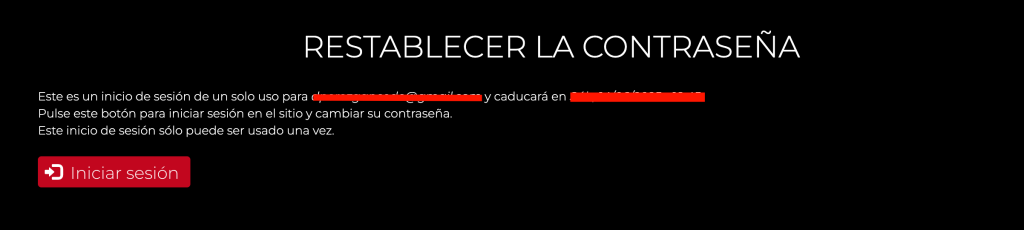
A page will open in your browser, click on Login:
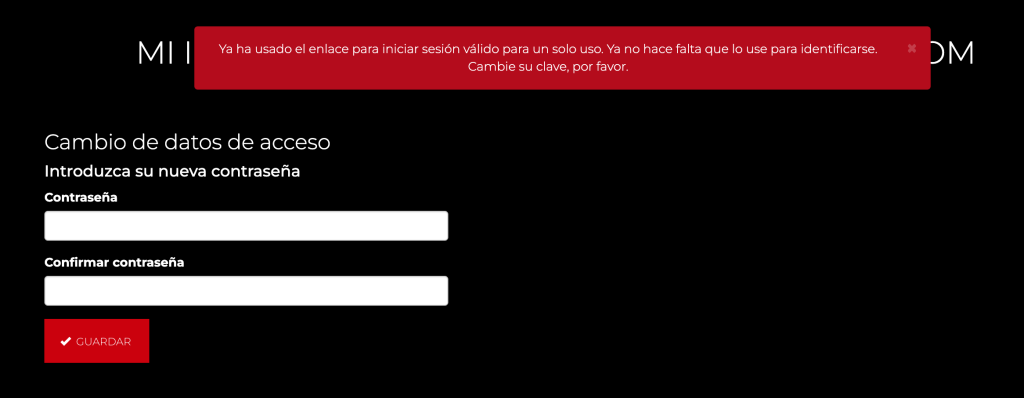
On the next page, enter the new password you want (we ask you twice to avoid errors) and click on Guardar:
Once this is done, the page will show you a confirmation screen in which you can see all their data (look at the text on a red background that indicates: Details successfully updated),
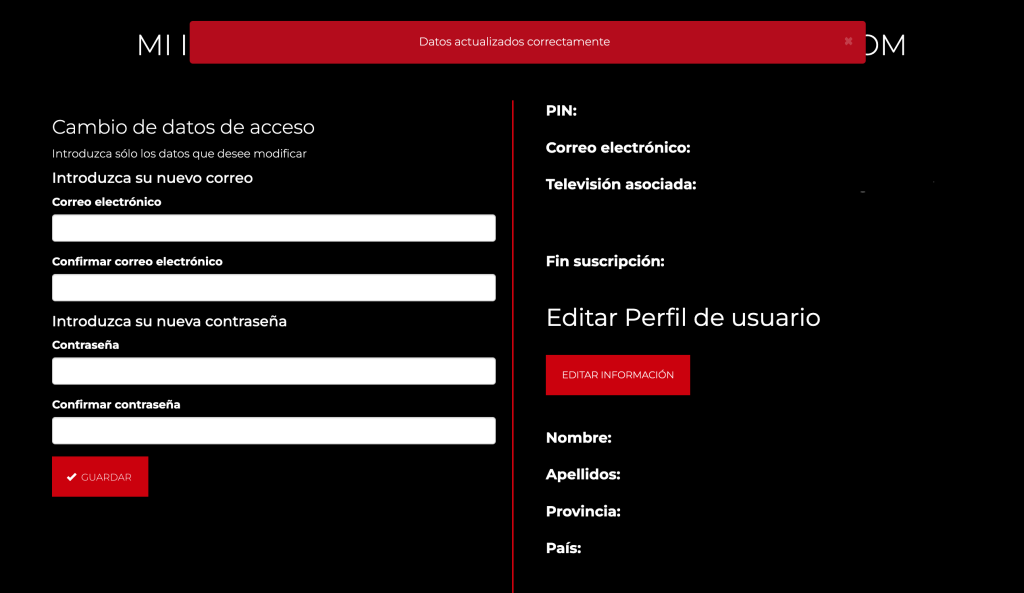
There you will be able to see all your data stored in our system.
You are already logged in, if you have a subscription, visit the Video Library and you can enjoy our content. If you’re not, tap SUBSCRIBE to purchase your subscription.
IMPORTANT: Many devices incorporate password managers, which store and use passwords when necessary, thus facilitating access to contracted services. It is important to check that the password stored in said manager matches the last one used in the service, otherwise, the device will always enter an incorrect password.